
How to Pay for an AI Companion Privately
How to pay for an AI companion privately: compare billing names, crypto, app stores and virtual cards, plus refund and eligibility limits.

Choose how to pay for an AI companion based on what appears on your statement and who receives your payment details. A less revealing statement, keeping your underlying card number from a merchant, and anonymity are different goals. A payment method may help with one without providing the others.
A discreet billing label still leaves a payment record. Your receipts and account purchase history may reveal more about what you bought than your bank statement does.
Your options may include direct checkout, crypto, billing through an official app, virtual cards or prepaid gift cards. Start with the service’s actual checkout options, then check your eligibility, refund terms and any restrictions on recurring payments.
What AI companion billing names can tell you
Billing names help you assess what an AI companion charge might reveal, but a label stated in a review carries different weight from a user report or a company promise. The details below reflect the November 6, 2026 snapshot.

| Brand | Stated label or promise | Evidence status | Practical check |
|---|---|---|---|
| Secrets AI | S LABS INC | Our review states this billing name. | Check the current billing disclosure for your payment method. |
| Candy.ai | Everai | Our review describes user reports, not a company-confirmed guarantee across regions or payment methods. | Confirm the expected descriptor. The operator’s legal name alone does not establish it. |
| DreamGF | Promises no adult transactions on bank statements. Supplies no exact descriptor. | Company claim on its pricing page. | Inspect the current checkout’s billing disclosure before relying on the promise. |
| GoLove AI | Makes a similar promise at checkout. No exact descriptor is given. | Company claim at checkout. | Inspect the current checkout’s billing disclosure for the expected name. |
If the disclosure is unclear, ask support what wording to expect for your chosen payment method and region before paying. A promise about how a charge appears on your bank statement gives you less detail than an exact billing name.
Paying with crypto and checking refund limits
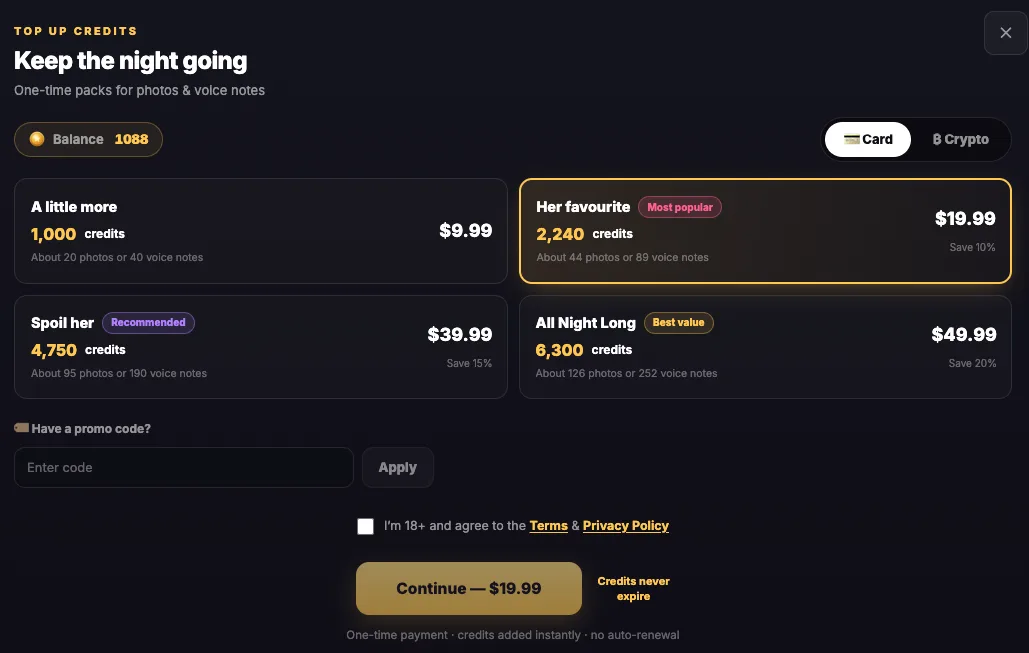
Six services accept crypto according to our review snapshot dated November 6, 2026. Check the crypto-specific refund terms before paying. Four of these services describe crypto payments as non-refundable.
- Candy.ai accepts crypto, but the snapshot does not establish a crypto refund guarantee.
- DreamGF accepts crypto, though the snapshot does not establish a crypto refund guarantee there either.
- At OurDream.ai, crypto payments are accepted and are non-refundable.
- Promptchan accepts crypto and describes crypto payments as non-refundable, so check the terms before committing funds.
- Secrets AI accepts crypto, and crypto payments are non-refundable.
- SpicyChat.AI also accepts crypto, with crypto payments listed as non-refundable.
Paying with crypto does not automatically make your purchase anonymous. Exchange, wallet and merchant records may identify you, and public-ledger transfers may be traceable. Funding your crypto purchase can also leave financial records.
Before you send a payment:
- Check which coin the service accepts at its current checkout.
- Confirm the required network matches the network you will use to send it.
- Read the checkout terms, including refund conditions, before sending funds.
Romantic AI accepts credit cards and PayPal but has no crypto option in this snapshot. Choosing PayPal does not automatically conceal the merchant or make your purchase anonymous.
What app store payments reveal on your statement
Store billing is an option only if the AI companion service has an official app that offers it. Verify the app’s identity and payment options before downloading it. Don’t assume a browser-based service supports this route or choose a lookalike app.
- With Apple billing, you may see apple.com/bill on your statement. Apple says this label can cover apps, subscriptions, music, movies or other Apple purchases. Its broad meaning does not guarantee that every purchase detail stays concealed.
- With Google Play billing, your statement can include
GOOGLE*App developer name,GOOGLE*App nameorGOOGLE*Content type, according to Google’s billing guidance. The app or developer name can therefore be visible.
Before choosing store billing, check who can access your store account and where receipts are delivered. Someone with access to those receipts or your purchase history may be able to identify the purchase even when the bank descriptor is less specific.
Using virtual cards and Privacy.com Private Spend Mode
Virtual cards shield your underlying payment information from the merchant when you pay for an AI subscription, according to Privacy.com. Statement masking is a separate feature. By default, the merchant name still appears on your bank statement, as Privacy explains.

- Check your eligibility and access to Privacy.com Private Spend Mode. You must be a US citizen or legal US resident, age 18+, with your own checking account at a US bank or credit union and an SMS-capable US phone number. You also need identity verification, usually using an SSN. Privacy’s eligibility requirements provide the details. The Personal plan costs $0 and permits up to 12 new cards per month. That allowance counts newly created cards, not transactions, and does not permit unlimited card creation. Confirm which plan includes Private Spend Mode and whether it requires a paid plan before choosing a plan for this feature.
- Open Account → Funding Sources → Private Spend Mode after confirming eligibility and plan access. This is the navigation given in Privacy’s setup guidance.
- Enable the mode before making your payment. According to Privacy’s official guidance, it replaces merchant names with
PWP*Privacy.comon your funding-source statement or portal and cannot change previously posted charges. If you use a Visa debit funding source, grouped payments already mask individual merchant names.
Merchant names and amounts remain visible inside your Privacy account, and the mode does not make you anonymous to Privacy.com or the merchant. Privacy’s explanation of discreet payments distinguishes that account visibility from statement masking.
Through Privacy.com, you can also set card limits, pause cards or close them. Those features control spending. They do not provide anonymity.
Prepaid gift card limits and what to check before paying
Prepaid gift cards may have restrictions that rule out your intended subscription purchase. Under Pathward’s Visa/Mastercard gift-card agreement, these nonreloadable cards cannot be used for purchases where recurring payments may occur, including subscriptions, memberships and rentals. The agreement also limits use to US merchants, including online orders, and prohibits foreign transactions.
Those restrictions apply to the cards covered by this agreement, rather than every prepaid product. You cannot rely on these cards as a subscription workaround, and acceptance for a one-time purchase is not guaranteed.
Before paying through your selected route, make these checks:
- Confirm that the service supports your chosen payment method for the purchase you want to make.
- Read the billing disclosure to check what name is expected to appear on your statement.
- Check the refund and renewal terms, including any restrictions specific to your payment method.
- Confirm that any required privacy setting is active and that your account or plan has access to it before paying.
Choose according to whether you want a less revealing statement label, protection of your underlying card number, or both. The review details reflect the November 6, 2026 snapshot. Check your selected route’s current terms and any unresolved eligibility conditions before committing.
Frequently asked questions
Does a virtual card hide the merchant name?
A virtual card protects your underlying card details, but that doesn't automatically change the name on your statement. Privacy.com treats statement masking as a separate feature. Receipts and the payment service's own transaction history may still identify the purchase.
Can you change a charge after it has appeared?
Privacy.com's Private Spend Mode doesn't change previously posted charges. Enable an eligible masking option before paying and confirm the expected statement wording for that payment route. It won't remove receipts or account records.
Are prepaid gift cards suitable for subscriptions?
Check the particular card's agreement before trying it. The Pathward gift cards discussed here prohibit purchases where recurring payments may occur. A card accepted for a one-time purchase may still be unsuitable for subscription renewal.