
How to Start Your Own AI Girlfriend Site Without Building the AI
How to start an AI girlfriend website: request AI Angels feed access, build with ChatGPT or Claude, and earn from qualifying referrals.


You can run your own browsable AI companion catalogue while AI Angels hosts the conversations. Visitors explore profiles on your website, then follow supplied tracked links to chat on AI Angels. Qualifying referred purchases earn you commission. The AI Angels feed supplies companion content, so you can focus on your site and audience without developing AI models or hosting chats.
To start an AI girlfriend website, you’ll choose a home for your catalogue, request private-beta access, and brief ChatGPT or Claude on what you want to build. Then you’ll connect the feed, check your pages and tracked links, and publish the catalogue for visitors to browse.

Choose a home for your AI companion website
Start by deciding how an AI companion affiliate website fits into your content plans. Think about the audience you want to serve, then choose a home where they’ll be able to find and browse the catalogue.
- Choose between your existing website and a dedicated site. If you already publish content for readers interested in AI companions, adding a catalogue gives them somewhere else to explore on your website. Consider whether it fits naturally into your navigation and whether your existing articles give readers a reason to visit the profiles. A dedicated site gives you room to make companion discovery the website’s main purpose. This may suit a new project or a catalogue that would feel out of place alongside your current content. Base the decision on what you plan to publish around the profiles and how it fits with your existing site.
- Define who you want to help and what they will browse for. Write one sentence describing your intended audience and the browsing experience you want to offer. For example, you might help people new to AI companions explore profiles by personality and interests. Use that purpose to guide your introductory copy and the categories you’ll feature later. Keep the purpose specific enough to guide your choices. If your introduction promises personality-based discovery, your navigation and recommendations should help visitors explore those differences.
- Arrange your domain, hosting and setup access. You need a website address, somewhere to run the site and access to the services involved in setting it up. If you’re extending an existing website, check that your current platform supports the planned catalogue and lets you make the necessary changes. For a new site, choose a domain and hosting that suit the catalogue’s needs. A ChatGPT or Claude subscription can help you choose an approach and work through setup, but it doesn’t include your domain or hosting, or guarantee deployment. Have your assistant explain which services and account permissions the proposed setup requires before you commit to it. Keep passwords and private credentials out of ordinary chat messages.
- Prepare a short description for your access request. Put your website address, intended audience and current monthly traffic into a short paragraph. Explain where the catalogue will sit and how it relates to the content you publish or plan to create. You’ll use these details when requesting private-beta access. If your site hasn’t launched, describe it as a planned website and say that it has no live traffic yet. Explain its purpose and intended audience. If you already have a site, use your available traffic figures and identify the period they cover.
Request access to the AI Angels private beta
Access is arranged individually through a private beta, as the AI Angels API access instructions explain. Follow these three steps to request access to the feed.
- Email info@aiangels.io with your website, audience and monthly traffic. Use the short description you prepared to explain your project and where the catalogue will fit.
- Join FirstPromoter and send AI Angels your referral ID. This identifies your affiliate account so AI Angels can supply tracked links for your catalogue.
- Receive your private feed address and integration documentation once access is arranged. Give these materials to your setup assistant when you’re ready to connect the catalogue, so it can follow AI Angels’ instructions for your site.
What comes with your AI companion directory feed?
According to the AI Angels feed page, the advertised catalogue includes 100 companions and more than 560 video clips, with room to grow during the beta. Your AI companion directory can have a profile page for each companion. The clips add media to those profiles; they aren’t separate companion pages. Here’s what the feed supplies for your catalogue:
- Names, photos, traits and short facts help visitors get to know each companion before opening a profile. Persistent slugs give each profile a consistent identifier for its web address, while short muted video loops add movement as visitors browse.
- Exclusive companion descriptions include shorter text for catalogue cards and longer introductions for individual profiles. AI Angels prepares this copy specifically for your domain, with text for both a brief overview and a closer look at a companion.
- Six category facets come with real counts, so you can group profiles and show how many companions each group contains. Visitors can then narrow the catalogue by the characteristics that interest them.
- Supplied tracked links cover profile, chat, signup and video destinations. They connect your catalogue to the relevant AI Angels pages and retain your referral tracking.
- An optional promotions feed supplies offers to feature alongside your catalogue when they fit your site.
Build your catalogue with ChatGPT or Claude
Once you have the feed documentation, give ChatGPT or Claude a clear description of the website you want to build. Ask for a preview you can review before publishing.
- Share your documentation and design brief. Provide the integration documentation alongside your intended audience and chosen website. Describe the appearance you prefer, including how prominent you want profile photos to be and what visitors should see first. Give the assistant any necessary access through the relevant service’s sign-in and authorization process.
- Give your assistant a practical build request. Use this request as your AI catalogue build prompt, adapting the audience and appearance to your plans. Help me build a companion catalogue on my chosen website using my AI Angels feed and its integration documentation. Use the audience and design preferences I’ve provided. Connect the supplied content to browsable cards, useful category views and individual profiles. Preserve the feed’s persistent slugs so profile addresses stay stable. Make the pages readable on mobile, with clear navigation and visible supplied tracked links that take visitors to chat on AI Angels. Guide me through the access you need through each relevant service, and show me a preview before publishing.
- Have the assistant explain how the pages fit together. Ask it to show which supplied content belongs on a catalogue card and which belongs on the full profile. Cards should help visitors choose a companion to explore, while category views should narrow that choice. Confirm that each card opens the matching profile and that profile addresses use the persistent slugs. Keep this discussion focused on what visitors will see and do. Ask for a plain-language explanation of any setup decision before the assistant proceeds.
- Review the layout in a preview. Ask for both mobile and desktop previews. On the smaller layout, check whether you can comfortably read the introductions, move between categories and find the chat links. On desktop, check whether the cards are easy to scan and the navigation makes the catalogue’s organization clear. Request specific adjustments, such as larger card text or a more visible chat link, wherever the design makes browsing harder. Have the assistant show the revised preview before you move to publication.
Keep your feed updates and tracked links working
Ask your setup assistant to include the AI Angels partner requirements in your feed integration. These cover how your catalogue uses links and media and keeps its content current:
- Keep the supplied tracked companion links unchanged for profile, chat, signup and video destinations, so their referral tracking stays attached.
- Hotlink the supplied media so your pages load it from its supplied location. Place muted looping clips within tracked links, without copying or re-encoding the files.
- Set server-side refreshes to run no more than once per hour, and make sure withdrawn profiles are removed from your catalogue within 24 hours.
- Respect the safe-for-work placement requirements and use the supplied media without scraping additional images or videos.
Feed changes become fresh published content only when your integration applies them. Have your assistant explain how updates will reach your live catalogue, including how changed profiles appear and withdrawn profiles disappear.
Check your companion catalogue and publish your site
Before publishing your AI girlfriend catalogue, follow a complete browsing journey, from choosing a card to opening its chat destination. These three steps cover the review and publication process.
- Inspect the content in your preview. Browse the catalogue cards and open several longer profiles. Check that names, photos and descriptions belong to the same companion, that images load correctly and that video clips play muted. Look for cut-off text, stretched photos or empty spaces where content should appear. On each profile you review, confirm that the longer description displays in full and that the route back to the catalogue is easy to find. Ask your setup assistant to correct any mismatched content or display problems before publication.
- Test browsing and destinations on desktop and mobile. Select different category filters and check that the results and displayed counts agree. Move between categories, open profiles and use the navigation to return. Check that each profile keeps the same address when you reach it through different browsing routes. Have your assistant compare the site’s links with the supplied tracked links to confirm they remain unchanged. Open links for profile, chat, signup and video destinations wherever they appear, checking that each reaches the intended AI Angels page. Repeat these checks on both desktop and mobile, where menus and controls may behave differently.
- Publish through your chosen website service and check the public pages. Ask your assistant to guide you through your website service’s publishing process. Once the site is live, open its public address and repeat the browsing and link checks. Visit it on your phone as well to check the published experience beyond the preview. Confirm that the connected feed also updates the public catalogue as intended. When an update becomes available, check that the relevant change appears on the live page. If the preview and public site differ, have your assistant resolve that before you start directing visitors to the catalogue.
For an example of catalogue browsing, explore PornMode’s catalogue, which displays 563 companions with cards, media counts, filters, sorting and pagination. Use it to consider how visitors move through a large selection. Its displayed catalogue doesn’t establish your beta allocation or demonstrate traffic or earnings.
Help readers find profiles through search and internal links
Give each category page a specific interest to focus on, so visitors can compare companions and explore the profiles that fit.
- Build categories around the six supplied facets and the profiles actually available. Show matching companions with accurate counts, and write an introduction that explains what connects the selection. Keep the description specific to what visitors can browse on that page.
- Match long-tail searches for AI girlfriends to relevant content. A phrase such as “latina AI girlfriend” or “goth AI companion” can guide a category’s focus when the supplied profile information supports it. Use the phrase naturally in a useful description, and avoid assigning traits that the profiles don’t establish.
- Add descriptive internal links between companion categories, individual profiles and relevant articles you already publish. Use link text that names the destination or explains its relevance. From an article about companion personalities, for example, you could link to a matching category, then give visitors a route from each profile to related companions.
AI Angels presents its domain-exclusive catalogue content as an opportunity to create distinct searchable pages. Keep each page’s information clear and relevant to its subject. Clear profile details may also help AI services identify relevant pages and cite your catalogue, giving readers another possible way to discover it. Indexing, rankings and citations aren’t guaranteed.
How you earn AI Angels affiliate commissions
Qualifying visitors you refer to AI Angels earn you affiliate commissions when they become paying customers. The AI Angels affiliate program sets out these terms for your referrals:
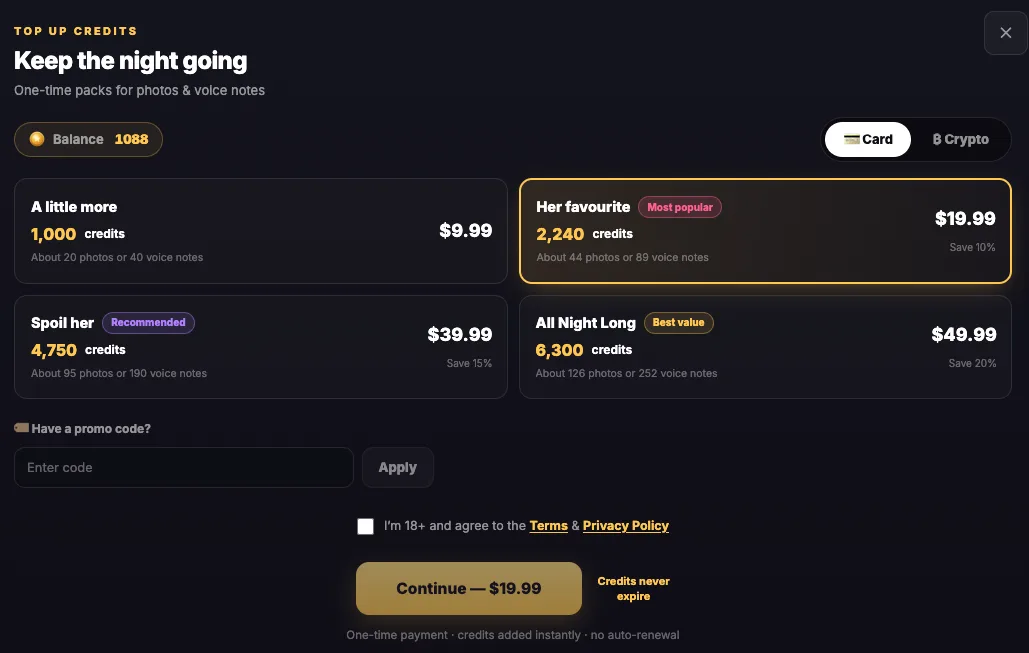
- You receive a flat 50% recurring revenue share on referred customer payments, including subscription renewals and credit packs, for as long as those customers keep paying.
- You can earn a 10% second-tier commission on sales generated by referrals of approved affiliates you recruit. AI Angels funds this commission without reducing those affiliates’ earnings.
- The advertised bonuses are $25 at 10 paying customers and $100 for every 25.
- Your referrals have a 90-day attribution window from the first click. FirstPromoter reports clicks, registrations and purchases, so you can review how visitors progress from your catalogue to a paid purchase.
As you grow your site, use those reports to understand which pages bring visitors who go on to register and purchase. This helps you assess your catalogue’s contribution to the AI girlfriend affiliate program.
Your catalogue helps visitors find companions that interest them. Working tracked links take them to AI Angels, where qualifying referred purchases generate your commission. To get started, prepare your site description for the access request, explaining your audience and the catalogue you want to create.
Frequently asked questions
Will the AI conversations run on your own website?
In the AI Angels feed setup described here, your website hosts the browsable catalogue. Supplied tracked links take visitors to AI Angels for conversations. You manage the catalogue and its presentation without hosting the companion model or chat service.
Can you launch before private-beta access is approved?
You can prepare the website and its layout, but the working catalogue depends on receiving your feed and integration documentation. Access is arranged individually. The advertised catalogue size doesn't establish the allocation your site will receive.
Can you replace the supplied referral links?
The integration requirements say to keep the supplied tracked links unchanged. Those links connect profile, chat, signup and video destinations to your referral tracking. Check them in both the preview and the published site.
Does supplied catalogue content guarantee search traffic?
Distinct profile content gives your site material to publish, but indexing and rankings aren't guaranteed. Each page still needs accurate information and useful navigation. Affiliate earnings depend on qualifying referred purchases, rather than the number of catalogue pages alone.