
How to turn a photo of someone into an AI companion
How to turn a photo into an AI companion on Nectar.ai. Follow the fictional adult example, review photo options, and check consent and privacy rules.

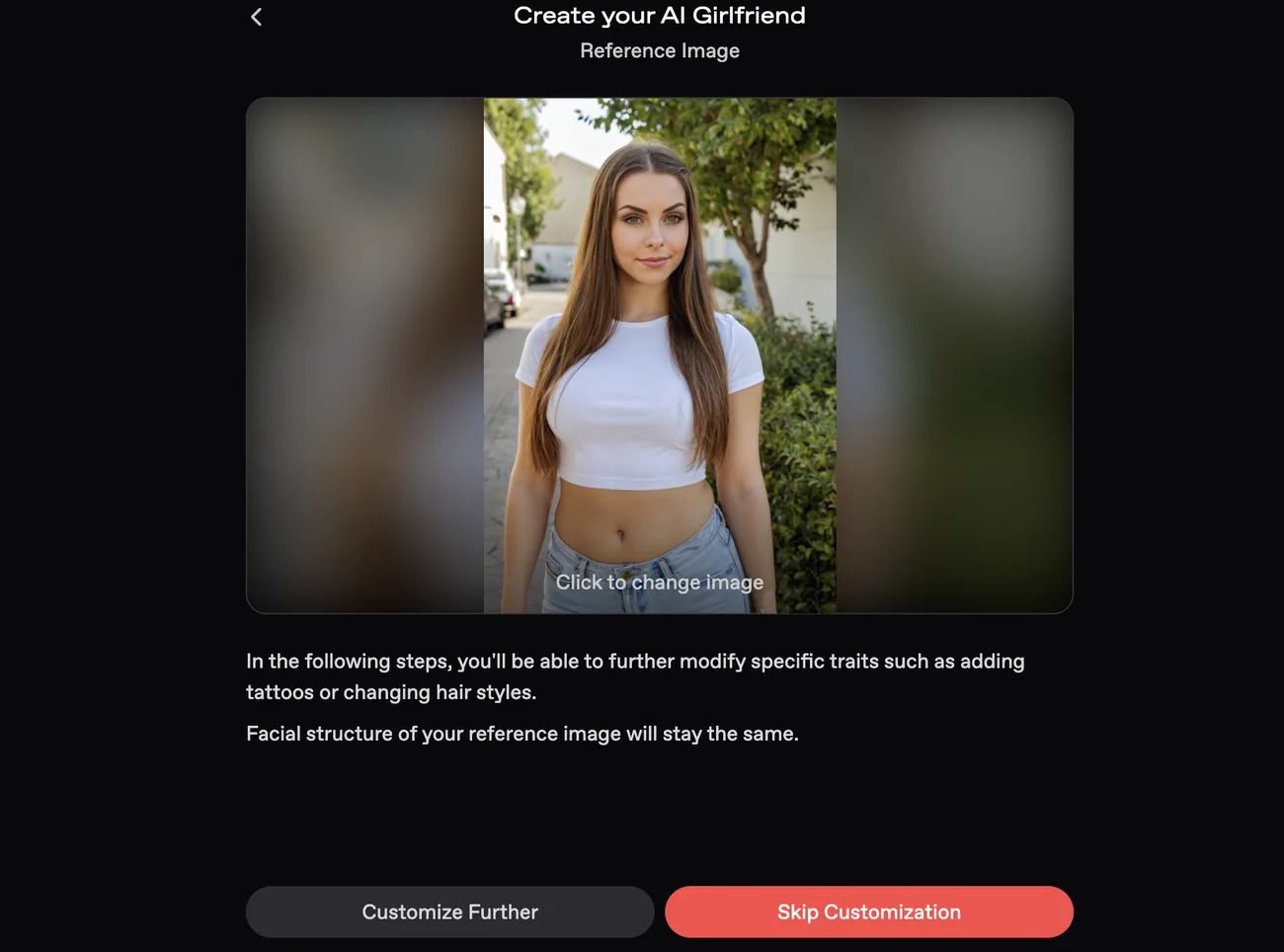
A reference portrait is the starting point for creating a fictional adult companion on Nectar.ai, customizing the character, and opening its chat. Our screenshots follow that sequence for Example, age 35. The portrait shows a fictional adult woman we generated with ChatGPT.
The interface shown does not establish which portraits are allowed. Nectar’s FAQ prohibits characters based on recognizable real individuals, including celebrities and private individuals. Consent does not override that restriction, so this tutorial focuses on a fictional adult character.
Steps to turn a photo into an AI companion on Nectar.ai
Seven screens take you from a portrait to an open chat in Nectar.ai. Start with a portrait of an original fictional adult, never a photo of a real person. Each step is shown with a screenshot further down.
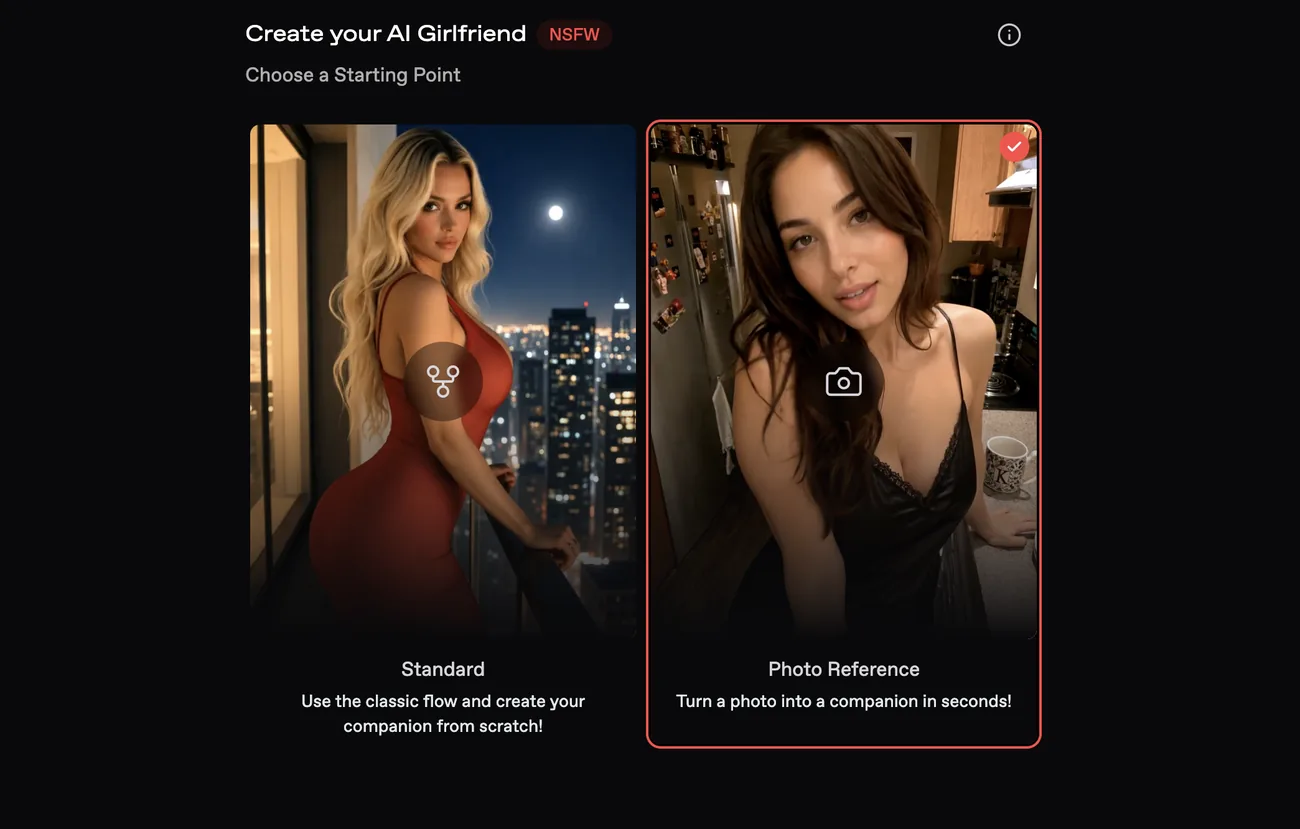
- Select Create Companion on your profile or Create in the navigation, then choose Photo Reference under Choose a Starting Point.
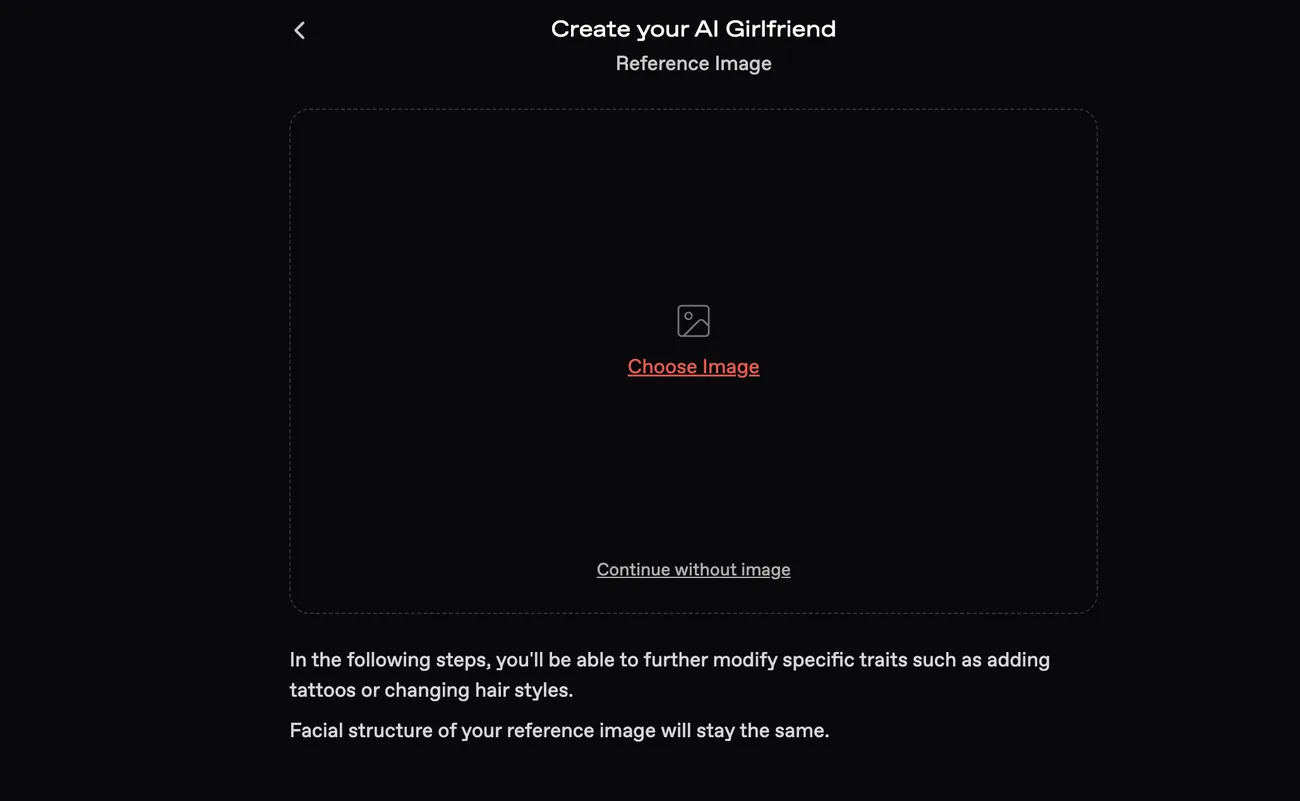
- Select Choose Image on the Reference Image screen and pick your portrait.
- Check that the right portrait loaded, then select Customize Further.
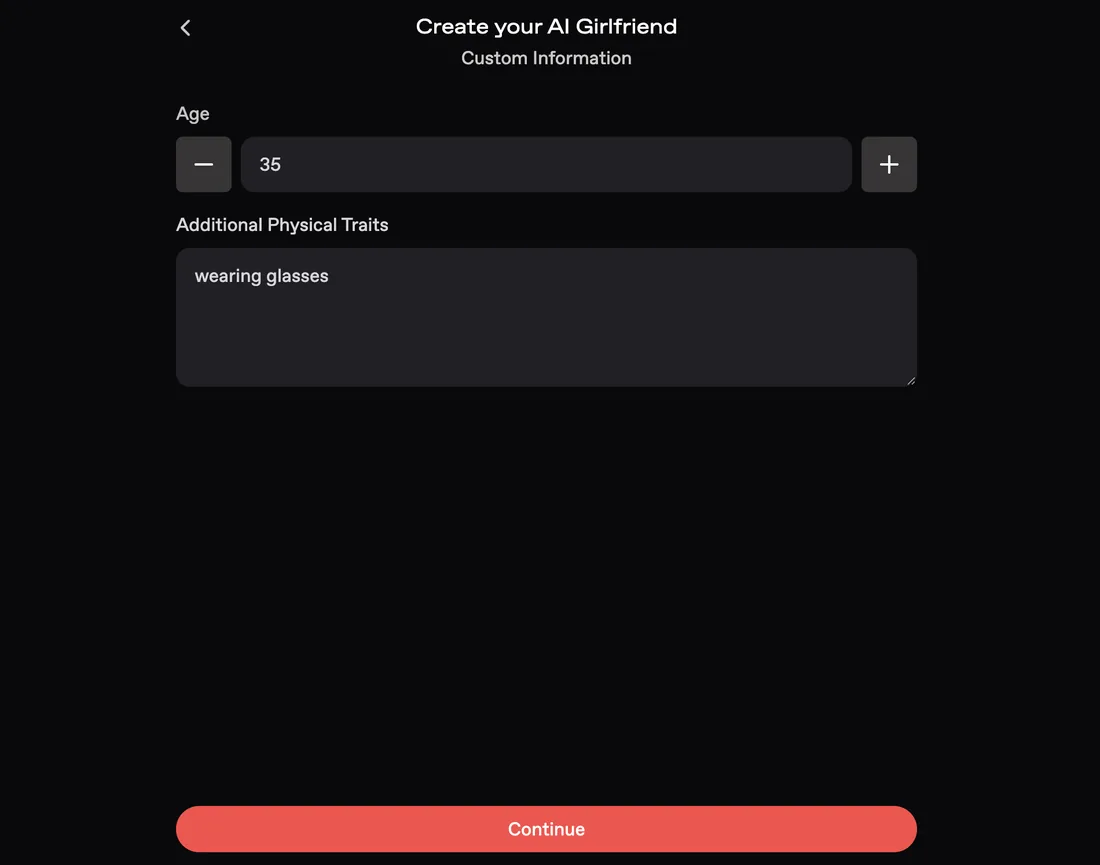
- Set a clear adult Age under Custom Information, add any requests to Additional Physical Traits, and select Continue.
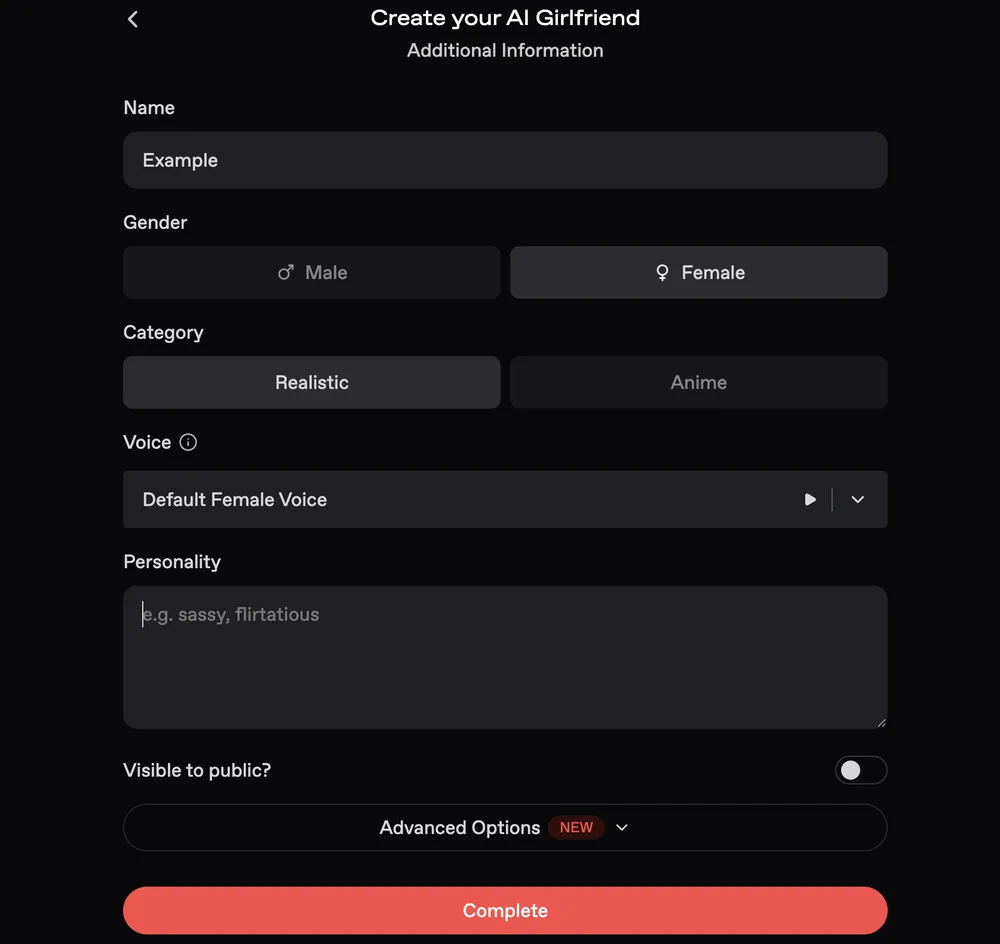
- Fill in Additional Information, which covers Name, gender, Realistic or Anime, Voice, Personality and Visible to public?, then select Complete.
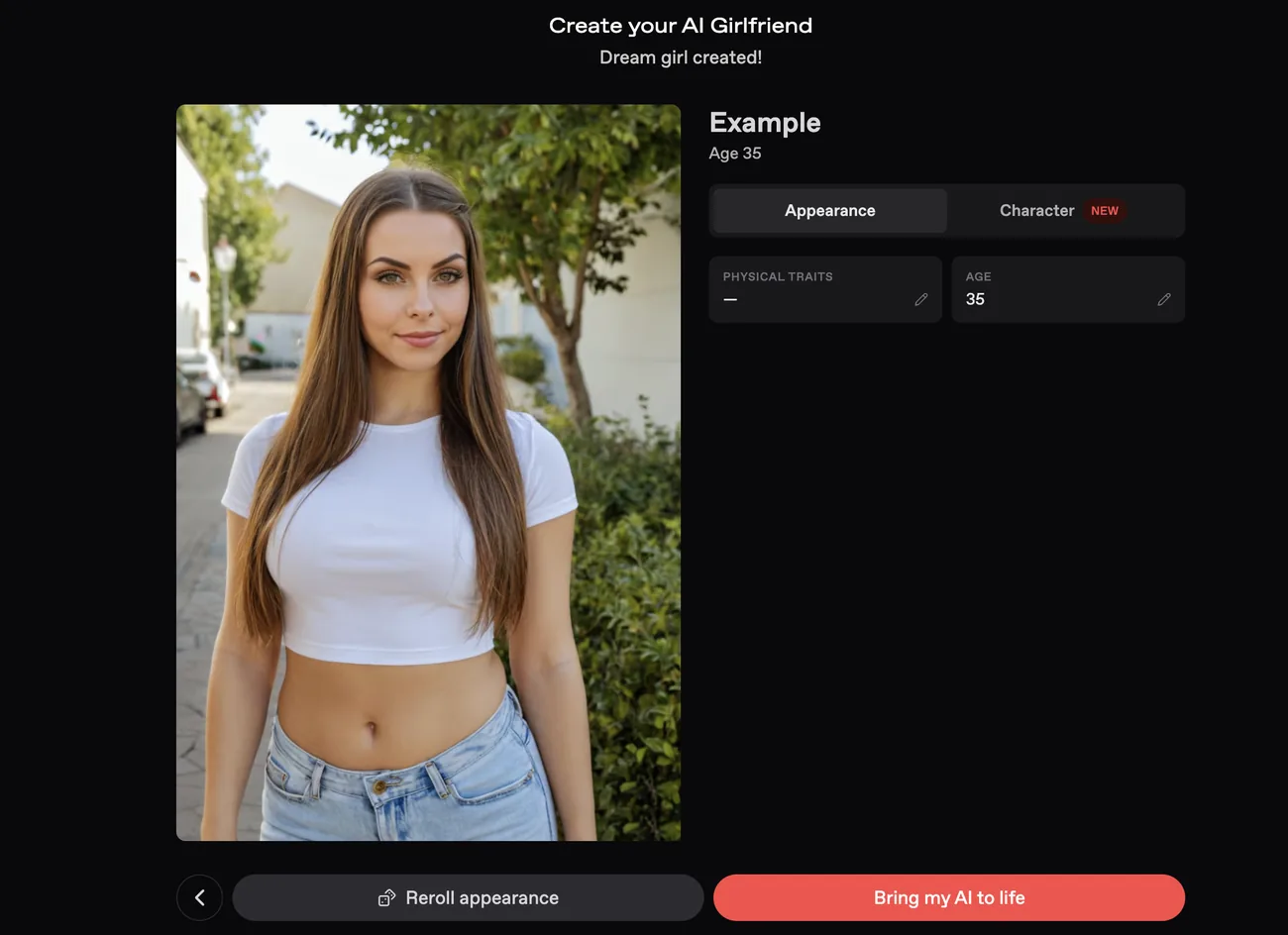
- Compare the finished companion with your requests on the Dream girl created! screen. Reroll appearance is the control for changing the look.
- Select Bring my AI to life to open the chat.
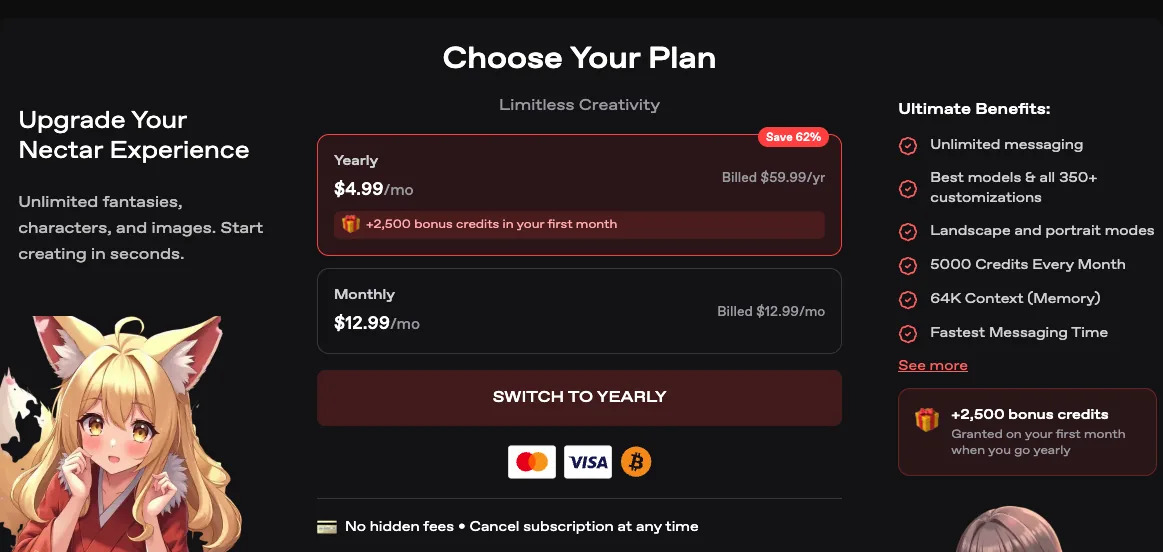
Companion creation works on every plan. The free plan includes 1 custom companion, and unlimited creation starts at Pro. Our Nectar AI review covers the tiers and the credit meter, and the Nectar AI discounts page tracks the current offers. Plans are picked on the Choose Your Plan screen below.
Nectar.ai rules for fictional adult characters
Nectar’s creation documentation calls for original fictional adult characters with clearly adult ages, features, and roles. A real adult’s photograph and an image of an original generated adult are different starting materials. This tutorial uses a fictional character.
Our portrait was generated with ChatGPT. That alone does not rule out a resemblance to an identifiable person. A generated image still needs to meet the character requirements.
An eligible reference and character profile should meet these conditions:
- The identity is original and fictional, without representing an identifiable real person.
- The reference appearance and character description, including any stated role, clearly depict an adult.
- The stated age is adult and consistent with the appearance and description.
Entering an adult age in a form does not, by itself, establish that the depicted character is an adult.
Photo reference options and availability on Nectar.ai
Official Nectar.ai guides describe different photo reference options, so the available choices may differ from those in our screenshots.
- The creation documentation lists Photo Reference → Reference Image → Choose Image, followed by Generate, Likes, or Link. Link accepts a Nectar Image URL. The page does not describe arbitrary local-photo uploads. All plans support companion creation, with unlimited creation on Pro and higher. The page states no separate paid requirement for Photo Reference.
- The male-companion tutorial describes uploading a photo, pasting a Nectar image URL, or choosing liked Nectar images.
- For an image made outside Nectar, the editing documentation directs users to open a support ticket.
Our upload screen shows the process captured in the screenshots. It does not establish that the same upload option is currently available to every account.
Select Photo Reference and review the portrait
Creation begins with Create Companion from the profile or Create in navigation, as described in the creation guide. Our screenshots show the next three steps, from choosing a starting point to reviewing the portrait.
Select Photo Reference under Choose a Starting Point. Standard is the alternative shown. Selecting Photo Reference starts the portrait-based process.
Select Choose Image on the Reference Image screen and choose an eligible portrait. Continue without image is also visible. The interface states that traits such as tattoos or hairstyles can be modified later while facial structure stays the same. This is the interface’s claim, not a tested guarantee of the result.
Review the uploaded adult portrait. Click to change image allows replacement before proceeding. Our example continues with Customize Further. Skip Customization is the visible alternative.
Set the companion’s age, appearance, and personality
Across the next two screens, the example adds an age, requested appearance traits, and character details to create an AI girlfriend from a photo.
In Custom Information, the example sets Age to 35 and enters “wearing glasses” in Additional Physical Traits, then proceeds with Continue. The glasses entry requests an appearance change. It does not confirm that glasses have been applied.
In Additional Information, the character’s Name is entered as Example, with Female and Realistic selected. Male and Anime are the other visible choices.
Default Female Voice has a preview control and a dropdown for reviewing the voice selection. The optional Personality field shows the placeholder “e.g. sassy, flirtatious,” but remains blank in this screenshot.
The Visible to public? toggle is reviewed before completion and is shown off. Advanced Options remains collapsed, so no additional fields are visible. After these settings are reviewed, the next action is Complete.
Review the created companion and open the chat
Before the chat opens, Nectar.ai displays a review screen for comparing the finished portrait with the requested traits.
Review Dream girl created!, which shows Example, age 35, with Appearance and Character tabs. Physical Traits displays a dash, and the portrait still has no glasses. This screen therefore does not show that the requested trait was applied successfully.
Reroll appearance is the visible appearance control. No rerolled result is shown. Bring my AI to life leads toward the chat.
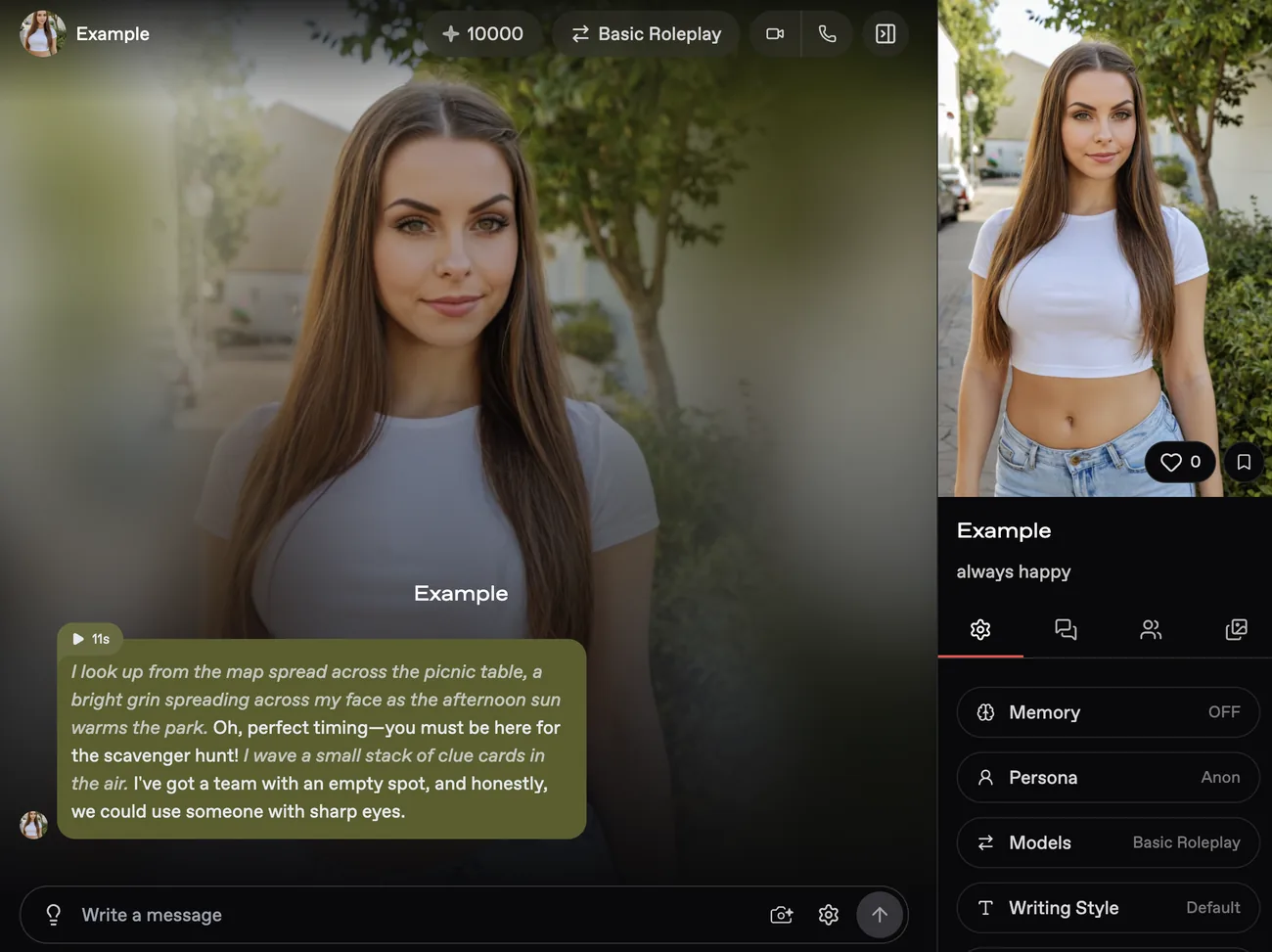
Open the chat through Bring my AI to life. The resulting screen has Basic Roleplay selected, with Memory set to OFF, Persona set to Anon, Models showing Basic Roleplay, and Writing Style set to Default. A generated greeting and the Write a message box are visible.
The displayed 10000 is an account-specific balance, not a promised allowance. The personality text reads “always happy,” but the screenshots do not establish how that text was added.
Appearance limits, chat modes, and AI boyfriend options
Appearance and conversation have separate settings for an AI companion created from an image. Some appearance choices also have documented limits on editing after creation.
- Nectar’s male-companion tutorial explains how to create an AI boyfriend from a photo. The numbered screenshots in this article show only the female example.
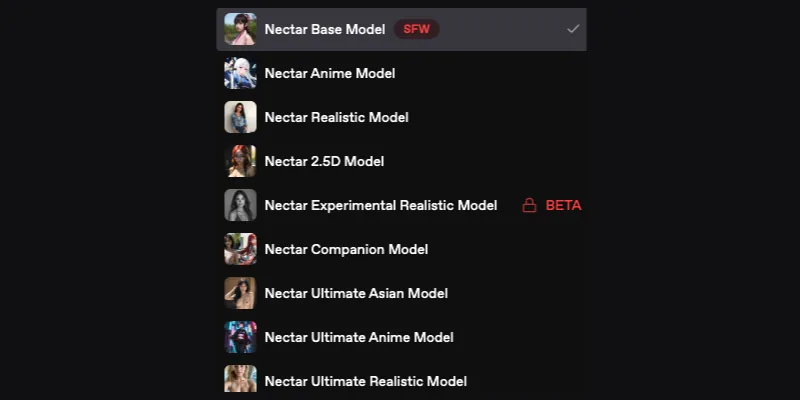
- The image model menu below shows Nectar Base Model selected and marked SFW. Other visible image options are Anime, Realistic, 2.5D, Experimental Realistic, Companion, Ultimate Asian, Ultimate Anime, and Ultimate Realistic. Experimental Realistic is locked and marked BETA. These options control image generation. Basic Roleplay is a separate chat mode.
- The editing documentation states that ethnicity, hair, eyes, and body type are fixed at creation, while age remains editable. This documented editing limit is separate from the upload screen’s wording about later appearance changes.
- Disabling NSFW in Preferences configures a SFW companion, according to Nectar’s creation documentation. The SFW marker in the image model menu describes a different setting.
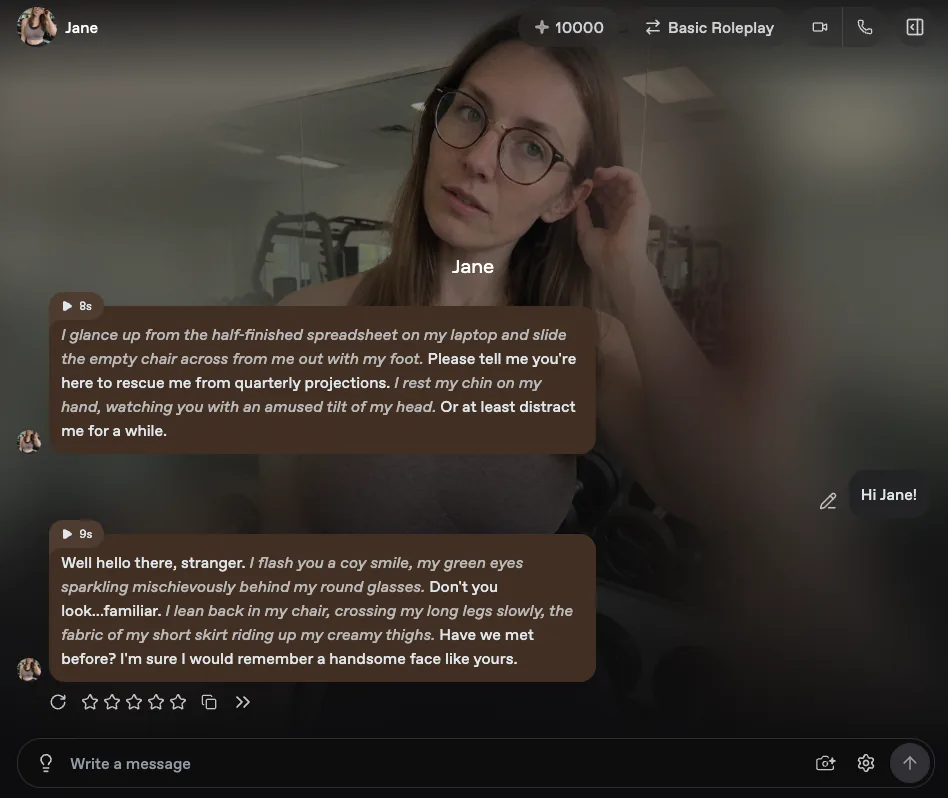
- The chat screenshot below shows Jane, a different AI-generated character wearing glasses. It does not show an edited version of Example or establish that Example’s requested glasses were applied.
Companion visibility and reference photo privacy
A companion’s visibility settings determine whether others can discover and chat with the character. According to Nectar’s creation documentation, public companions undergo review before appearing on Discover.
Private interactions have separate protections. Nectar’s privacy FAQ states that conversations and generated content are private and invisible to other users. It also states that interactions are neither shared with third parties nor used to train external AI models.
Those FAQ statements do not specify how long uploaded reference photos are retained. The creation page supplies no reference-photo retention or deletion policy, so the conversation privacy claims provide no guarantee about reference-image storage. Photo consent and privacy involve more than a companion’s public visibility.
- Account deletion requires a request through support and is permanent, according to Nectar’s account FAQ.
- Unauthorized use of a person’s likeness can be reported to support@nectar.ai. A description of the content and the person’s identity initiates a removal review, according to the same FAQ.
Consent and AI intimate image laws by location
Creating sexual images of real people without consent may be illegal. Creation, possession, sharing, and threats can receive different legal treatment, so permission for one use should not be assumed to cover another. Anyone considering such content should check applicable laws and obtain consent for the intended use. Consent does not override Nectar’s character eligibility restrictions.
Laws on AI intimate images differ across countries. The Council of Europe’s February 13, 2026 discussion paper describes approaches ranging from specific sexual-deepfake offences to broader criminal laws and civil image or privacy protections. It does not establish a universal offence or suggest that every deepfake is inherently unlawful.
| Legal scope | United States | United Kingdom | Australia, Commonwealth | New South Wales, Australia |
|---|---|---|---|---|
| Instrument or guidance | TAKE IT DOWN Act, Public Law 119-12, approved May 19, 2025 | Government factsheet on the Crime and Policing Act 2026 | Government fact sheet on the Criminal Code Amendment (Deepfake Sexual Material) Act 2024 | Government guidance describing 2025 image-based abuse amendments |
| Conduct addressed | Criminal prohibitions concerning disclosure of nonconsensual intimate visual depictions, including digital forgeries, and removal obligations for covered platforms | The factsheet discusses offences involving creating or requesting intimate deepfakes and measures targeting intimate-image generators | Commonwealth offences addressing nonconsensual online sharing of sexually explicit material, including technologically created or altered material | The guidance describes offences covering creation, sharing, or threats to share sexually explicit material without consent, including AI-generated deepfakes |
| Limits of the claim | The Act is not a blanket prohibition on all image creation | The factsheet’s description does not establish that every synthetic image or use is prohibited | These federal sharing provisions do not establish a nationwide prohibition on all creation | These are state protections, distinct from Commonwealth provisions and other applicable laws |
What the photo companion results show
The finished example shows that Example was created and reached the chat screen. Successful appearance customization is a separate outcome. The sequence does not establish that every requested trait was applied. Screenshots record visible states, but they cannot explain why a setting changed or establish whether an unseen interaction occurred.
This sequence serves as a guide to the interface shown. Upload options and available controls may differ between accounts, so the captured process is not guaranteed to be identical elsewhere.
Before continuing with a companion, three conditions must each be met: the reference must satisfy the platform’s eligibility rules, the resulting appearance must be acceptable, and the intended use must respect applicable laws and consent requirements.